

The Best Spend Management Software: Tools, Benefits, and Options for 2026
The more money a company wants to make, the more it usually needs to spend. Between inventory, payroll, software subscriptions, rent, and much more, business expenses are an everyday part of managing an organization’s finances. In order to stay on top of your cash flow and keep your books clean, it’s important to track all this spending as it happens. That’s nearly impossible without the help of spend management software.
With spend management software, businesses can automate their end-of-month reporting, customize their employee spend controls, and get a real time look into their outgoing transactions. While some platforms come with tools meant to help with some of these processes, not too many can call themselves true spend management solutions.
We put this article together to how spend management software works, the key benefits to look for, and the features worth prioritizing when evaluating platforms. We’ll also examine six of the leading spend management software options in 2026 and how they stack up against each other. One of these solutions is Slash, a business banking platform that’s built to help modern companies fully monitor their expenses.¹ With the ability to issue unlimited virtual cards to employees, each with their own granular controls, Slash users can manage their company’s spending and get live insights along the way.
What is Spend Management Software?
Spend management software is a type of platform that centralizes how a business tracks, authorizes, and accounts for its spending. In the past, this process was handled with physical invoices and bank statements that routinely caused problems for overworked finance teams. Nowadays, spend management software cleans all that up by capturing transactions as they happen and automating tasks like categorization and reconciliation.
Along with more expansive oversight, spend management systems can also help fight illicit transactions. Every year, American organizations lose an estimated 5% of their revenue to fraud and misuse, according to The Association of Certified Fraud Examiners. Some platforms can flag suspicious purchases the moment they happen, allowing admins to freeze corporate cards before more fraudulent transactions are made.
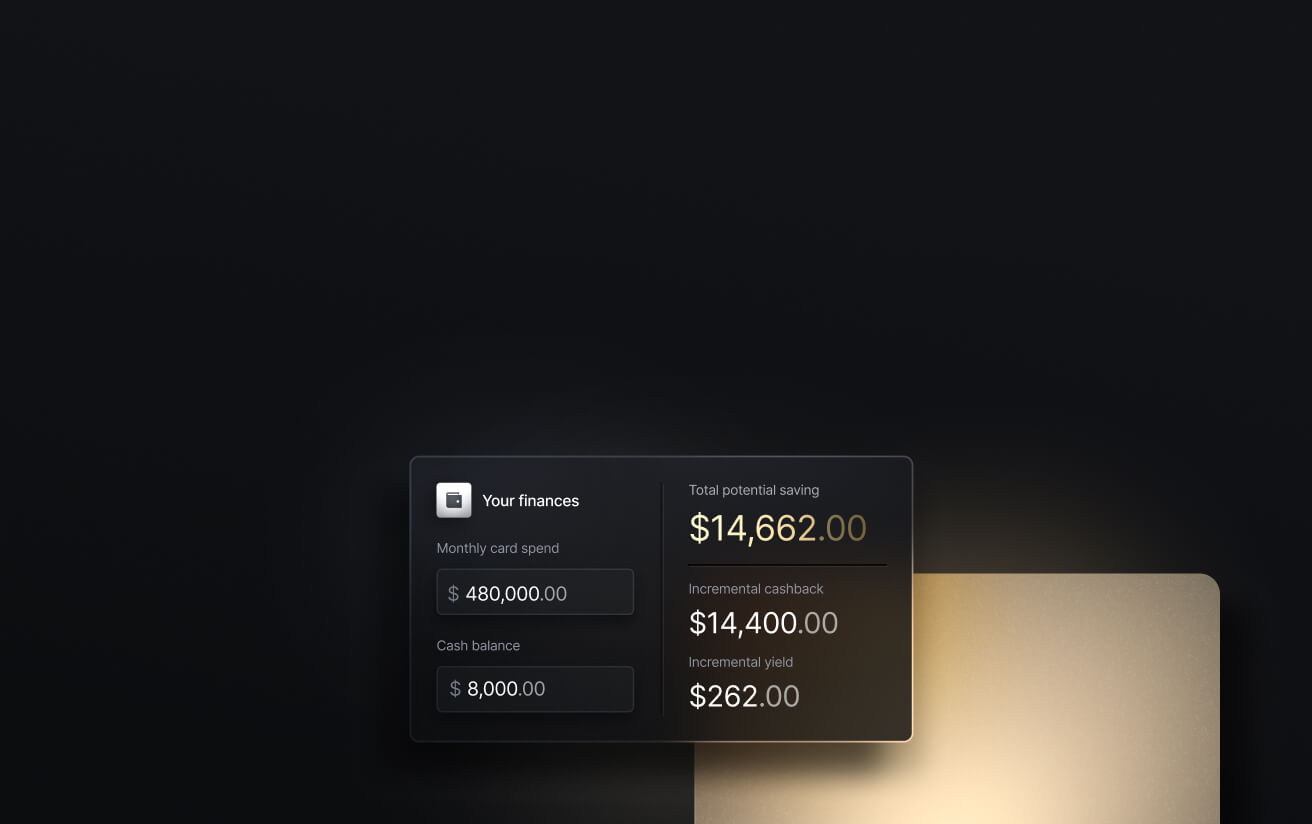
See the ROI behind your spend
Use this calculator to understand impact, then manage and track it all in Slash.

Key Benefits of Spend Management Software
The advantages of spend management platforms can extend into almost every corner of your business’s day-to-day operations. Here are the ways a good piece of spend management software can help:
1. Greater visibility into company expenses
Your spend management software should lay out your outgoing payments by category, merchant, employee, department, and more. Traditionally, the trouble with monitoring company spending is the wide variety of rails it travels out through. In a single day, you may pay a large vendor invoice, allow employees to buy inventory with corporate cards, and have a large subscription bill get debited from your account. Spend management software is built to keep track of it all in one spot.
With everything centralized, you can get a better idea of where costs are trending up and categories are consistently running over budget. If you use Slash, you can prompt an agentic AI assistant named Twin to dive into your recent spending information and generate graphs that reveal even more information.
2. Stronger budget controls
These systems allow admins to enforce spending policies at the source rather than from the company handbook. Preset card limits, approval workflows, and category restrictions can keep spending under control without restricting team members from doing their jobs. For example, Slash lets users issue unlimited virtual corporate cards with custom rules that dictate how and where employees can spend company funds.
3. Reduced manual work through automation
The more your spend management software automates, the better. Reconciliation, receipt capture, and invoice processing are all tasks that certain programs can speed up immensely with automated tools. Optical Character Recognition (OCR) can scan and import receipt and invoice data, meaning no one has to sit down and transcribe all that documentation. Platforms like Slash also sync directly with accounting tools like QuickBooks Online, Xero, NetSuite, and Sage Intacct, meaning data can be shared back and forth automatically.
4. Improved compliance and accountability
One of the hardest parts of mastering company spending is logging it all accurately. With spend management software, every payment, reimbursement, and vendor transaction can get documented automatically as it happens. Not only does that make it easier to look through your financial history, but it also creates a complete audit trail that can stand up to later investigation. Whether the audit’s internal or external, automated logging can make the whole process much simpler.
5. Scalable for growth
Plenty of systems are built for large, enterprise-level teams, but fewer work for small businesses at the same time. Spend management platforms built for growth may include multi-entity support, role-based access, and global payment capabilities that accommodate new subsidiaries and structures without much stress. While Slash includes these capabilities, it also serves small teams without the excessive complexity and bank-breaking subscription prices that enterprise systems often come with.
How to Choose the Best Spend Management Software
Ultimately, great examples of spend management software will offer a lot of the benefits we just discussed. In addition to these, you should also keep an eye out for specific tools and how they fit with your company’s average workflow. Here are some features to keep an eye out for:
1. ERP and accounting integrations
You’ve likely already adopted an ERP or accounting system that helps monitor your cash flow and simplify tax preparation. If not, you have a few more problems to solve.
If you do work with one, your spend management software should connect to it directly. These types of connections allow you to sync data across departments and entities without manual export-and-import cycles. Small businesses often use solutions like QuickBooks, Xero, and Sage Intacct, while large enterprises may use NetSuite. Platforms like Slash also offer API access that gives tech-forward teams the ability to construct connections to other internal systems.
2. Invoice and reconciliation tools
As you assess different spend management software, you should specifically look for which functions can be automated. For example, there’s a big difference between a solution that allows receipt capture with OCR and one that makes you type it all out by hand. Automatic three-way matching, which cross-checks the purchase order, invoice, and receipt, can also save accounts payable teams loads of time.
3. Level of control
As much as you may trust your team members, you can’t exactly let them spend company funds on whatever they want. The more control options your spend management software gives you, the better. Can you set limits by individual employee, team, or vendor? Can you restrict purchases by merchant category code? Along with these guardrails, you’ll want to look for platforms that let you customize and automate approval workflows so large expenses can consistently get an official thumbs-up.
4. Global access
If your business pays international vendors or operates across borders, you’ll need a solution that supports quick, low cost cross-border transfers. Most pieces of spend management software support international wire payments, but their slow settlement wait periods and high fees can make them impractical in certain situations. Meanwhile, platforms like Slash give users the ability to pay overseas vendors and business partners in stablecoins, which travel more quickly and cheaply than traditional rails.⁴
5. Banking and card capabilities
Since corporate cards and business banking are closely tied to spend management, you’ll want all three in one platform. Slash not only offers a checking account and a high cash back corporate card, but connects it all with accounting systems like QuickBooks Online and NetSuite. With all these things in the same system, every purchase and expense your team makes can be updated in the corresponding place without headaches or typos.
Top Spend Management Software Options for 2026
Some types of spend management software focus exclusively on monitoring expenses, while others combine spend controls with business banking and corporate cards. Here are six of the leading options you’ll see on the market in 2026:
Slash
Slash is a business banking platform that combines banking, corporate cards, spend controls, and accounting integrations in one place. The Slash Visa® Platinum Card supports unlimited virtual and physical cards with per-card spend limits and category-level controls, each coming with fraud detection tools that allow admins to freeze cards with a single click. Each expenditure creates an audit trail that can be easily accessed and synced with popular accounting platforms. Slash also comes with a wide variety of payment rails that give teams more ways to spend their money in the first place.
- Strength: Granular card controls and the ability to track each transaction in real time on a dedicated financial dashboard. Additionally, the Slash Card offers up to 2% cash back on eligible business purchases.
- Best for: Businesses that want an all-in-one financial stack, particularly those that need unlimited virtual cards with configurable controls.
Rho
Rho is a fintech platform offering business banking, corporate cards, expense management, bill pay, treasury, and capital for startups and scale-ups. Cards earn up to 1.5% cash back, and the platform charges no per-seat or subscription fees. Like Slash, Rho allows users to upload their invoices through OCR and send them through custom approval routes. However, with complex expense management tools and a treasury account minimum of $350,000, it’s more tailored to enterprises and venture-backed startups than small businesses.
- Strength: Offers cards, banking, and spend management while waiving subscription fees and most transfer fees.
- Best for: Mid-sized companies looking for a solid banking and spend platform.
Spendesk
Spendesk is a European spend management platform used by over 3,000 finance teams across 35+ countries, including the United States. That said, Americans are subject to spending limits on corporate cards, and they don’t actually get access to a US bank account. If you’re a European user, you get access to corporate cards, reimbursements, procure-to-pay tools, and accounting automations, but you don’t get the same complete banking experience that some other competitors offer.
- Strength: Good spend management features for mid-market European companies.
- Best for: European finance teams that need spend management and don’t mind maintaining a separate banking relationship.
Mercury
Mercury is a digital banking platform built for startups and scaling companies, with a full suite of corporate cards, bill pay, invoicing, spend management, and accounting integrations. It also waives wire fees, which isn’t a common feature among most platforms. Some downsides include Mercury’s 3% foreign transaction fee and the fact that they don’t support RTP or FedNow for real-time domestic payments.
- Strength: Decent banking experience overall, with free USD wires, no account minimums, and no personal guarantee on credit cards.
- Best for: Startups and early-stage companies that want a banking infrastructure with cards and basic expense management built in.
Procurify
As the name suggests, Procurify is a platform that covers the full procurement process from purchase requests and approvals through purchase orders, receiving, invoice processing, and bill payment. With AI-powered invoice coding and three-way matching, it’s a solid piece of procurement software, but it’s not a banking or card solution.
- Strength: A strong procure-to-pay workflow with invoice matching and supplier management tools.
- Best for: Finance teams that have complex procurement workflows and high purchase order volume that requires strategic sourcing.
Expensify
Expensify is a spend management platform that offers strong receipt scanning capabilities and automated expense categorization. It also comes with a “Concierge AI” that flags policy violations and handles report submission. While Expensify does offer a corporate card, it only earns 1% cash back unless you spend $250k a month, which means it lags behind the competition for the majority of businesses. Expensify also lacks AP automation tools that are common in other platforms.
- Strength: Easy to adopt and use, with SmartScan receipt scanning and a wide range of integrations.
- Best for: Teams that primarily need to manage employee expenses, travel, and reimbursements.
Fully Manage Your Business’s Spending With Slash
When it comes to choosing between spend management platforms, the most important word to keep in mind is “centralization”. Even if you have all the tools necessary to track spending and control your company’s outgoing payments, they won’t be the game-changer you need them to be if they’re trapped under different logins and unable to communicate with each other. With Slash, your banking and spend management features are all found under one dashboard.
Slash is a business banking platform that allows users to manage their outgoing transfers and employee spend in the same place they keep their corporate cards, treasury, working capital, stablecoins, and more. Every transaction is reflected in real time within our integrated financial dashboard with labels that tell you what type of expense it is and whether it’s pending, complete, or failed. All this data can sync two-ways with your accounting system, meaning you’ll be in a much better position when end-of-month reporting rolls around.
Along with Slash’s spend management capabilities, the platform offers quite a few more tools and features, including:
- Agentic AI: Our platform comes with Twin, a built-in AI agent that can be prompted with natural language to complete complex tasks. Users can ask it to create cards, pay invoices, get insights into accounts payable trends, and much more.
- Diverse payment methods: Slash supports a wide range of payments, including card spend, global ACH, international wire transfers to over 180 countries via SWIFT, and real-time domestic payments through RTP and FedNow.
- Global USD: The Slash Global USD Account is designed as an alternative for foreign founders who want access to USD without forming a US entity.³ Balances are held in USDC on Base, a stablecoin designed to maintain a one-to-one value with the U.S. dollar.
- Reimbursements: Instead of managing reimbursements across multiple tools, teams can submit, review, and approve reimbursements directly inside the Slash dashboard. Connect your bank account, upload your receipt, and let Slash capture the details.
- Separate virtual accounts: Create multiple business bank accounts to silo cash flows by project, department, or client with real-time analytics across each of them.
With Slash, you can manage expenses, invoices, vendor onboarding, international payments, and much more without ever having to leave your dashboard. Reach out today to see how Slash can help.
Apply in less than 10 minutes today
Join the 10,000+ businesses already using Slash.
Frequently Asked Questions
What are some common business spend categories?
Common business spend categories include office supplies, SaaS subscriptions, payroll, travel, marketing, and vendor payments. Supplies, inventory, and travel may be paid for with employee cards, while expenses like vendor payments will likely travel via ACH or wire.
ACH vs Wire Transfer: Key Differences, Costs, Limits & Use Cases

What’s an example of spend management in action?
A marketing manager issues a corporate card for campaign spend and restricts it to specific merchants. When an employee makes a purchase, it can show up in your dashboard and syncs directly to your accounting solution. If that purchase is suspicious, the platform may flag it for human review.
What's the difference between procure-to-pay software and spend management software?
Procure-to-pay is the end-to-end process of acquiring goods and services, while spend management is the overall monitoring of company expenses. A procure-to-pay platform can have expense tracking features, but they're not inherently connected.
What Is a Corporate Purchasing Card (P-Card)? Features, Usage, and Management Tips

Read more from us


