

The Complete Month-End Close Checklist
Accounting teams of all sizes often find themselves spending too much time on their month-end close. Data from Ledge shows that 50% of teams take a week or more to close at the end of the month, while only 18% of teams achieve this feat in 3 days or less. A faster process is possible with the help of automated tools and a detailed month-end close checklist.
A good month-end close checklist contains the steps required to close your books, the individuals responsible for each process, and the platform or software that should be utilized. In this guide, we’ll review a complete 8-step closing checklist that includes a framework for streamlining the process and the common mistakes you should avoid.
We’ll also look at how modern financial tools like Slash can save your team time on your month-end close while boosting consistency and accuracy. Slash is a business banking platform that integrates two-ways with QuickBooks Online, Sage Intacct, and Xero, allowing finance teams to bridge the gap between their banking tools and their accounting solutions.¹
What Is the Month-End Close Process?
The month-end close is the process of reviewing, reconciling, and finalizing a company's financial activity for the prior month. At its core, it ensures that every transaction is recorded and each account is balanced. When done correctly, the resulting statements will represent an accurate picture of the company's actual financial position. This can give leaders deeper visibility into their company’s cash flow and enable them to make more informed decisions going forward.
Reconciling activity each month surfaces financial discrepancies that come from unauthorized activity or inaccurate records. Clean bookkeeping also helps companies comply with regulatory requirements and prepare themselves for potential audits.
Traditional approaches to month-end close can be labor-intensive, to say the least. Teams working with dated processes often deal with hours of manual data entry while sending repetitive emails meant to chase down approvals and expense submissions. 94% of teams still use Microsoft Excel to drive their month-end close processes, per Ledge. That’s a huge number. An overreliance on spreadsheets may lead to miscalculations and an overall slower process.
Some forward-thinking teams have moved past antiquated processes, instead adopting automated solutions that help optimize the more tedious steps. Slash enables teams to arrange and track all their financial information on one integrated dashboard. With the ability to automate steps like transaction upload, expense categorization, batch approvals, and more, Slash users can speed up their month-end close and remain compliant at the same time.
The Complete Month-End Close Checklist: 8 Essential Steps
Let’s take a look at the 8 steps finance teams should check off their list as they work through their month-end close, from initial verification to final review:
Step 1: Verify All Transactions Are Recorded
Before any reconciliation can begin, the general ledger needs to completely reflect all activity for the period. Every paycheck must be posted correctly, each vendor invoice must be recorded, and all employee expense reports and corporate card transactions must be submitted and imported. Missing transactions at this stage often leads to errors in subsequent stages. For some teams, this step includes gathering invoices and reaching out to team members for missing receipts.
Sophisticated tools can help ensure that finance teams aren’t left filling holes in a batch at the end of the month by automating these processes. Slash, for example, instantly records and categorizes transactions based on the rules you set. Our tools can also send employees a text or email-based receipt request after they make a purchase with a company card. They can then reply with an image or PDF of the receipt, meaning the transaction is accounted for within minutes.
Step 2: Post Journal Entries and Adjustments
Next, finance teams should ensure that revenue and expenses are recognized in the correct period, regardless of when cash actually moved. This is an important distinction: if your company purchases a service and receives an invoice in April, but doesn’t pay for it until the beginning of May, the expense should be posted in April. When your company records revenue when it is earned, rather than when cash is received, it is following accrual accounting principles.
This all belongs in the journal, which is a chronological record of your company’s financial transactions. Along with expenses and revenue, common journal entry types can also include amortization and depreciation. Businesses that heavily invest in machinery or vehicle fleets should track their equipment’s gradual loss of value.
As journal entries can become complex, it’s smart to reduce the risk of error by making sure the accountant that prepared the entries isn’t the same person that’s in charge of reviewing them. The separation of duties is an important theme to the month-end close process overall.
Step 3: Reconcile All Accounts
Reconciliation is one of the key pieces of any month-end close process. It ensures your internal records match external statements and that your cash position is accurate. When reconciling accounts, you’ll want to:
- Confirm that all deposits, payments, and fees in your bank statement appear in the general ledger
- Investigate timing differences, such as pending or in-transit transactions
- Flag any transactions that appear incorrect, duplicated, or missing
- Review outstanding items that may require follow-up or clarification
If your accounts are not reconciled properly, you risk misrepresenting your actual cash position, which can impact forecasting and create issues during audits.
Step 4: Tie Out Sub-Ledgers to the General Ledger
Once your core accounts are reconciled, the next step is to confirm that all sub-ledgers fully align with the general ledger before closing the period. Sub-ledgers like accounts payable, accounts receivable, payroll, and inventory should roll up cleanly into the general ledger. This step focuses on identifying anything that did not sync or post correctly, such as incomplete entries, missing transactions, or items still awaiting approval.
By comparing sub-ledger balances to the general ledger, you can catch issues like unmatched payments or out-of-balance accounts. Once everything is aligned, you can finalize the adjusted trial balance and move forward with closing the books.
Step 5: Generate and Review Financial Reports
At this stage, your team can finally produce core financial statements. These typically include the profit & loss statement (P&L), balance sheet, and cash flow statement. Since leadership, investors, and auditors rely on these sorts of reports, they need to be both accurate and timely.
Key performance indicators like gross profit, operating expense ratios, days sales outstanding, and cash conversion cycle should be calculated to give leadership a clear read on how the period performed relative to expectations. Many finance teams also produce reports that compare their month’s budget vs. the actual results. These sorts of statements can determine whether company spending is too high or if the budgets themselves should be adjusted.
Step 6: Investigate Variances and Anomalies
By this point, you’ve already spotted anomalies like duplicate payments and missing invoices. Now it’s time to review your financial reports at a deeper level to look for significant variances and unusual movements that go beyond one-time oversights.
As you pore through your reports, you may encounter unexpectedly large increases in operating expenses, unusual revenue dips, or irregular balance sheet movements. Some of these variances will immediately warrant investigation, but others might be closer to the borderline. This is when materiality thresholds can come in handy, which are benchmarks used to determine if an anomaly on a financial report is significant enough to deserve action. As an example, you may set a materiality threshold of 20% on operating expenses. If these expenses increased by 16%, your finance teams can let it be and save themselves a bit of trouble.


Step 7: Document Supporting Evidence
Each journal entry, reconciliation, and adjustment needs correlating documentation. This supporting evidence can include bank statements, invoices, contracts, and raw data. If a finance team can’t figure out how they came to a certain conclusion, then that conclusion will be called into question.
Documenting supporting evidence is also important for regulatory compliance. External auditors may request a full set of your business’s financial information and its complementary evidence. Preparing this paperwork both streamlines this process and can surface issues for your team to catch before the auditor can. A good practice is to optimize your digital filing protocols; documents should be organized cleanly, aligned with naming conventions, and stored with clear links to the transactions they support.
Step 8: Perform Final Review and Lock Period
The last stage involves a top-level review by the individual in charge of accounting. This review confirms that all reconciliations are complete, all journal entries are approved, and the financial statements are internally consistent and free of obvious errors. Once this is complete, you may lock this period in your accounting software.
Your final review should pertain to more than numbers and approvals. It’s also wise to track your month-end close performance itself to assess bottlenecks and pain points. Measuring the days it took to complete the process and identifying the most difficult steps can help reveal what can be automated and where process adjustments can be made.
Other post-close tasks can include distributing financial statements to stakeholders, archiving supporting documentation, and updating the close calendar before preparing for the upcoming month.
How to Streamline Your Month-End Close Process
There’s often a big difference between a completed month-end close and a streamlined month-end close. Automation is the fastest and most effective way to optimize your company’s bookkeeping. Removing manual work minimizes human error and helps curb burnout among busy finance teams that spend more than a week cramming before a close.
Outside of tools and technology, let’s look at a few month-end close best practices:
- Operate with a “continuous close” methodology: Spending time working on month-end close procedures throughout the month is better than compressing them all into a several day sprint. Reconciling high-volume accounts weekly, processing expense reports as they're submitted, and reviewing accruals on a rolling basis means some of the work will already be done when deadlines begin to approach.
- Assign a detailed close calendar: Naming owners and due dates for every task immediately clarifies expectations. This also reveals dependencies between tasks; reconciliations can't begin until transactions are recorded, and reports can't be produced until sub-ledgers are closed. A calendar that shows these dependencies helps the team see when a delay in one step will cause a chain reaction.
- Hold a mid-close check-in: A short meeting during the close window helps keep processes in sync and allows team members to ask questions and discuss issues.
- Set materiality thresholds: When you set thresholds that determine what warrants investigation, insignificant anomalies are separated from consequential problems. Otherwise, your team may spend time solving a $2,000 outlier instead of a $20,000 outlier.
- Measure and tweak: Even efficient processes can use improvement. Tracking metrics like days to close, number of adjustments, and hours spent per step can reveal where your process is strong and where it needs work.
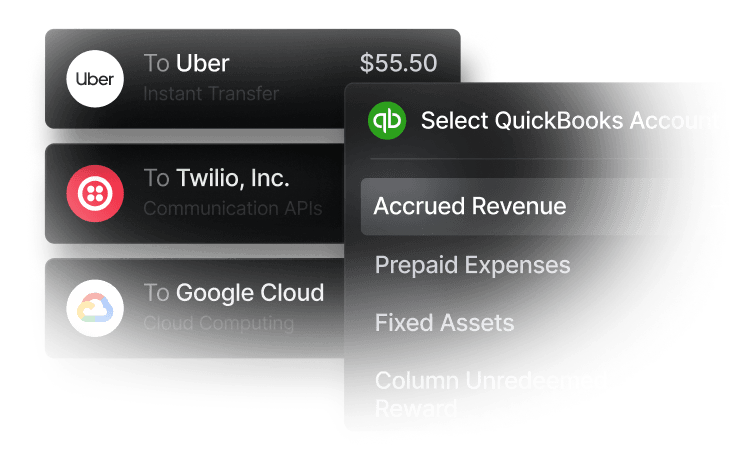
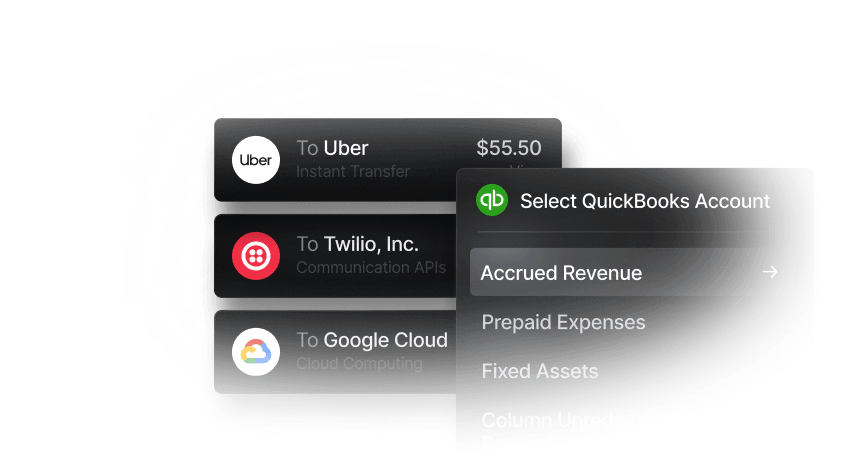
Slash can save time at the source by syncing with several popular accounting solutions and sharing information both ways. By integrating with QuickBooks Online, for example, Slash can import charts of accounts and vendor data that helps inform categories, and then send auto-categorized transactions back to QuickBooks after they happen.
Slash also enables real-time financial monitoring that gives financial teams consistent visibility into their transaction data throughout the month, allowing errors to be caught and accruals to be tracked as they accumulate. This is possible thanks to our platform’s integrated dashboard, which gathers all payment data and cash flow metrics in one place.
Common Month-End Close Mistakes to Avoid
Now that you have a better understanding of everything you should do throughout the month-end close process, it’s time to take a look at what you shouldn’t do. Here are some mistakes to watch out for:
- Lack of clear task ownership can lead to tasks getting delayed or completely abandoned. When nobody’s assigned to a specific reconciliation or journal entry, it likely won’t get done until someone notices its absence far down the line. Each task in the close checklist should have a named owner and a deadline.
- Disorganized documentation slows down the review stage and creates compliance risk. If supporting documents for a journal entry are scattered across email attachments, shared drives, and random folders, the reviewer may struggle to piece together the context themselves.
- Recording payments instead of accruals can lead to transactions being recorded in the wrong month. Purchases and invoices should always be logged based on the day they’re initiated, not the day funds are sent.
- Waiting until month-end to start is a recipe for disaster – and it’s entirely avoidable. Using a continuous close methodology and preparing documentation multiple weeks in advance can save your team significant stress in the final week of the month. Remember what happened when you procrastinated before doing that huge project back in high school? It gets no easier as an adult.
How Slash Can Help Streamline Your Month-End Close
The quality of your month-end close is closely tied to the accuracy of the data that feeds into it. When your banking data is filled with errors, transactions aren’t categorized, and information is siloed on separate platforms, your close process may be doomed from the start. Slash is a business banking platform that’s purpose-built to address this at the source.
Our platform integrates with QuickBooks Online, Sage Intacct, and Xero, meaning transaction data flows into your general ledger in real time without requiring manual transcription from team members. Once all data is aligned, Slash’s automation tools can streamline a wide variety of accounting processes. When integrated with accounting solutions, Slash can automate:
- Expense and transaction categorization
- ERP property tagging
- Batch approvals
- Suspicious transaction flagging
- Recurring invoices and invoice reminders
- Receipt requests and collection
Our financial dashboard keeps your company’s cash flow visible throughout the month end close process, so you are not pulling information from multiple places at the last minute. Payments and invoices are organized in one view, making it easier to see what has been collected, what is still outstanding, and what is coming up next. With that context available in real time, finance teams can stay on top of documentation and avoid the end of month scramble to piece everything together.
Other Slash features that can help busy finance teams include:
- Slash Visa® Platinum Card: A corporate charge card that earns up to 2% cash back on company spending, with configurable rules, granular controls, and fraud protection.
- Native cryptocurrency support: Slash users can convert funds into USD-pegged stablecoins such as USDT or USDC to send transfers across 8 different blockchains.⁴
- Diverse payment methods: In addition to crypto, Slash supports card spend, global ACH, international wire transfers to over 180 countries via SWIFT, and real-time domestic payments through RTP and FedNow.
- Reimbursements: Our reimbursements tool allows teams to submit, review, and approve reimbursements directly inside the Slash dashboard.
Now that you know the 8-step month-end close checklist, your company may want to consider a ninth step: adopting the Slash business banking platform.
Apply in less than 10 minutes today
Join the 10,000+ businesses already using Slash.
This content is for informational purposes only and does not constitute legal, tax, or accounting advice. You should consult with a qualified professional for advice specific to your business.
Frequently Asked Questions
How long should a month-end close take?
According to PriceWaterhouseCooper, the median length of time for a month-end close among U.S. companies is 6.4 days. If you’re looking to accelerate your month-end close, 6 days should be your limit, and 2-3 days may be your goal.
What’s the difference between a soft close and a hard close?
A soft close is a temporary closing of accounting books for quick internal reporting that allows for adjustments. A hard close is a final, more comprehensive closing of the books where no further transactions can be posted.
What reports should I review during month-end close?
When laying out a timeline, it’s important to distinguish between the reports you plan on reviewing and the reports you plan on creating. You’ll begin by reviewing expense reports and your budget vs actual results, and you’ll later create P&L statements, balance sheets, and cash flow statements.
Expense Reports: How to Track, Manage, and Simplify Costs

Read more from us


